
Self-custody means holding your own private keys instead of trusting a third party.
A software wallet is one of the most common ways to do that.
This page explains what a software wallet is, how it works in practice, and the different types of software wallets you can use depending on your crypto, your device, and your goals.
If you are looking for the best software wallet for a specific use case, this page will also guide you toward more detailed comparisons.
What Is a Software Wallet?
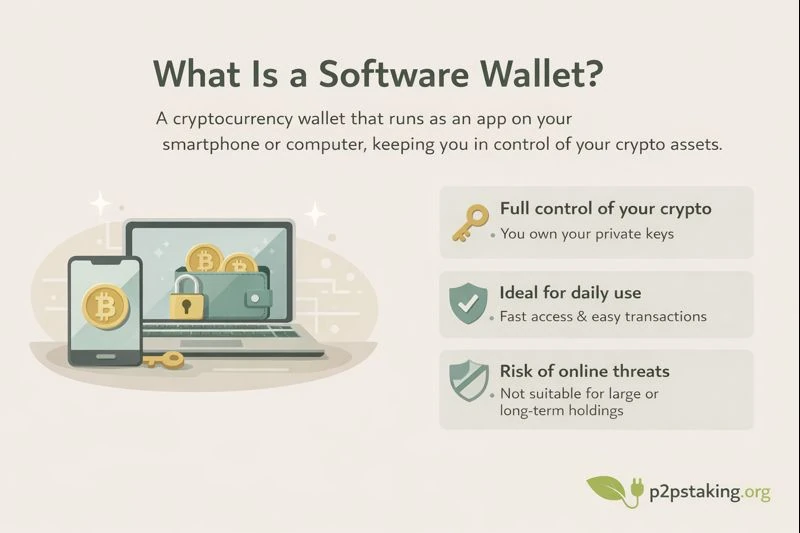
A software wallet is a cryptocurrency wallet that runs as an application on a device such as a smartphone or a computer.
It allows you to store, send, receive, and manage crypto assets while keeping full control of your private keys.
Unlike custodial wallets on exchanges, a software wallet gives you direct ownership of your funds.
No third party can freeze your assets or block transactions.
From a practical point of view, software wallets are mostly used when convenience and speed matter.
They are well suited for situations such as:
- Daily payments or regular transactions
- Interacting frequently with applications or protocols
- Managing small to medium amounts of crypto
- Quickly signing transactions without extra hardware
Because they are always available on your phone or laptop, software wallets make it easy to approve operations in just a few seconds.
This makes them ideal for everyday use.
However, this ease of use comes with a trade-off.
Since software wallets are connected to the internet and depend on the security of your device, they are not the best option for long-term storage of large amounts.
If your goal is to hold significant value over the long term, or to interact with DeFi protocols using larger sums, a hardware wallet is usually a better choice.
Hardware wallets keep private keys offline and provide an extra security layer that software wallets cannot offer on their own.
For many users, the best setup is a combination of both:
a software wallet for daily operations, and a hardware wallet for long-term storage and high-value transactions.
A Short History of Software Wallets
The very first Bitcoin software wallet was the original Bitcoin client released by Satoshi Nakamoto in 2009. At the time, there was no choice: if you wanted to use Bitcoin, you had to run the default client, which combined a full node, a wallet, and a miner in a single application.
Back then, software wallets were not selected based on user profiles, security models, or use cases. They were simply the only available way to interact with the Bitcoin network.
Today, this situation is very different.
Software wallets have evolved to support a wide range of devices, blockchains, and usage patterns. Users can now choose a wallet based on how they use crypto, how much they manage, and which networks they interact with, rather than being forced into a single technical solution.
This evolution is a direct result of Bitcoin’s open-source nature and the growing diversity of crypto users and applications.
For a technical overview of the original Bitcoin client and its role in the network, see the official Bitcoin Core documentation.
Software Wallet Meaning in Practice
When people ask for a software wallet definition, they often want to know how it works in real life.
Here is what using a software wallet usually looks like:
- You install the wallet app on your phone or computer
- The wallet generates a recovery phrase (also called seed phrase)
- You back up this phrase offline
- You can now receive crypto and sign transactions
The recovery phrase is the most important element. Anyone with access to it can control your funds.
This is why software wallets are often described as a balance between security and convenience.
They are easier to use than hardware wallets, but require more care than custodial solutions.
Software Wallet Explained: Setup, Backup, and Security
Setup
Most software wallets are quick to install and configure.
The setup usually takes only a few minutes.
You do not need technical knowledge, but you must follow basic security rules, especially during the backup step.
We explain how to properly set up and back up a wallet for Bitcoin, step by step, following best security practices.
Backup and Recovery
A software wallet is secured by a seed phrase, typically 12 or 24 words.
This phrase allows you to restore your wallet on another device if needed.
If you lose it and your device breaks, your funds are lost.
Best practices include:
- Writing the seed phrase on paper
- Storing it offline
- Never taking screenshots or storing it in the cloud
Security Model
Software wallets rely on the security of the device they run on.
This means they are exposed to risks such as:
- Malware
- Phishing attacks
- Compromised operating systems
For large amounts, many users combine a software wallet with a hardware wallet or use it only for daily transactions.
Different Types of Software Wallets
Software wallets come in different forms depending on the blockchains they support and the devices they run on. Because each blockchain follows its own technical rules, some wallets are designed for a single network, while others can manage multiple blockchains within the same application.
Some software wallets focus on one ecosystem, such as Bitcoin or Ethereum, and prioritize simplicity and specialization. Others are multi-chain wallets that allow users to manage several assets from a single interface, which can be more convenient but also introduces additional complexity.
Software wallets also differ by usage context. Mobile wallets are commonly used for quick access and frequent transactions, while desktop wallets are often preferred for more advanced management or longer sessions.
At this stage, the goal is simply to understand that software wallets serve different needs. If you want help choosing a software wallet based on your crypto, your device, and your use case, you can explore our Choose a Software Wallet guide, where we break down the main criteria and usage profiles.
Conclusion
Software wallets are a simple and practical way to start using self-custody. They make it easy to manage crypto assets, sign transactions, and interact with blockchains on a daily basis, while keeping control of your private keys.
If you are new to self-custody, a software wallet is often the easiest place to begin.
For users whose priority is maximum security or long-term storage of larger amounts, software wallets may not be sufficient on their own. In those cases, hardware wallets act as a true digital vault by keeping private keys offline and reducing exposure to online threats.
If that is your situation, you can explore our dedicated Hardware Wallets page to understand how they work and when they are the right choice.
Ready to Take Control of Your Crypto?
Go deeper into self‑custody, software wallets, hardware wallets, and practical guides.

Java‑certified engineer and P2PStaking CEO, I secure validators across Solana, Polkadot, Kusama, Mina, and Near. My articles reflect hands‑on wallet ops and real recovery drills so you can set up self‑custody safely, step by step.