
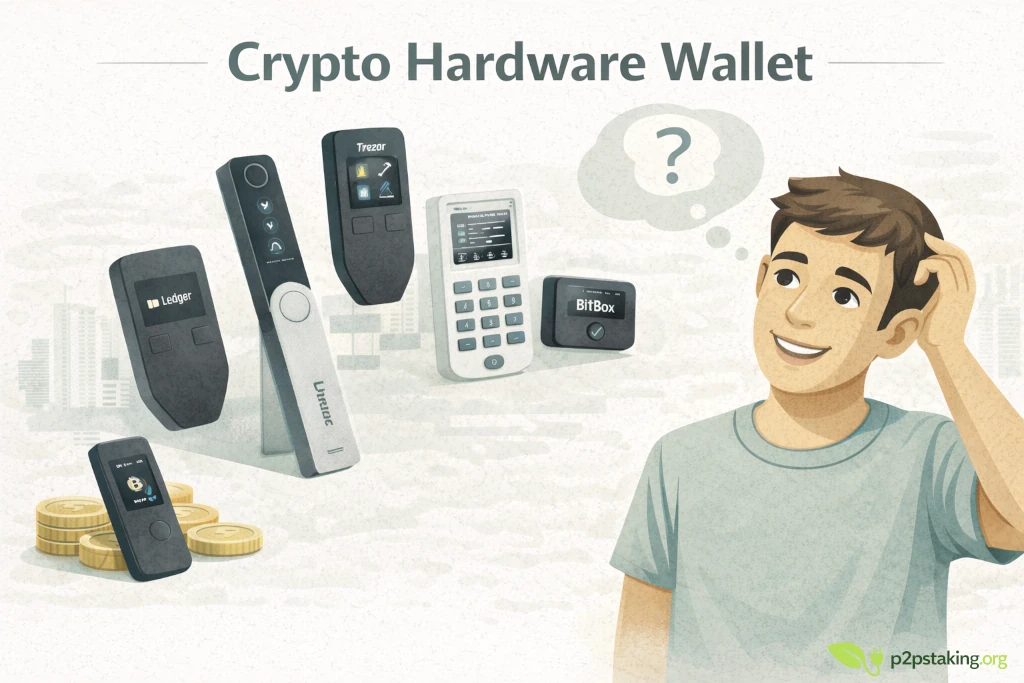
Your keys, your coins. A crypto hardware wallet keeps your private keys offline and in your hands. This page explains what a hardware wallet is, who should use one to secure your self-custody setup, and how to choose the right device. It also links to our detailed rankings and reviews so you can find the best hardware wallet for your profile.
This content is educational, not financial advice. Do your own research and follow local laws/regulations.
Disclosure: Some links may be affiliate links. If you buy through them, we may earn a commission at no extra cost to you. We keep our comparisons independent and research-based (read our Disclosure Policy).
Crypto hardware wallet in 60 seconds
- A hardware wallet is a small, dedicated device that stores your crypto keys offline. It signs transactions inside the device so your keys never touch the internet.
- Cold storage means much stronger security than hot wallets. Hot wallets live on internet‑connected phones or laptops and are convenient for small amounts, but they expose you to malware and phishing. Hardware wallets keep keys offline and require physical confirmation before a transaction.
- You remain in control. Exchanges and custodial services hold your keys; a hardware wallet eliminates that third‑party risk and gives you direct ownership of your funds.
- Not just for Bitcoin. Multi‑asset devices (Ledger, Trezor, BitBox02, KeepKey) let you manage Bitcoin, Ethereum and many other coins from one wallet, while Bitcoin‑only models (Coldcard, Jade, Passport) focus on maximum BTC security.
- Pair it with a hot wallet for daily use. Many users keep a small balance in a software wallet for everyday spending and sweep larger amounts into a hardware wallet for long‑term storage.
What is a crypto hardware wallet?
A hardware wallet is a physical device designed to store the private keys needed to access your cryptocurrencies. Unlike exchange accounts or “hot” mobile wallets, where your keys reside on an online server or smartphone, a hardware wallet keeps them offline and signs transactions internally. Because the device is not connected to the internet, hackers cannot easily extract keys through malware or phishing.
Hardware wallets are often called cold wallets. They resemble a USB stick or small touchscreen and require you to press buttons or enter a PIN to approve transactions. If someone steals your laptop or compromises your phone, they still cannot move your funds without also stealing the hardware wallet.
Hardware wallet vs. hot wallet
- Hot wallets (mobile apps, browser extensions) live on internet‑connected devices. They are ideal for small balances and quick transactions but are exposed to malware, phishing links and SIM‑swap attacks.
- Hardware wallets operate offline. The keys never touch the network and you must physically confirm each transaction, making remote hacks extremely difficult. They are best for storing larger amounts or long‑term savings where security matters more than convenience.
Who should use a hardware wallet?
Hardware wallets are suitable for anyone who holds meaningful amounts of crypto or wants stronger security. Typical use cases include:
- Long‑term holders / cold storage: If you plan to buy and hold Bitcoin or crypto for months or years, a hardware wallet provides durable offline storage.
- DCA (dollar‑cost averaging) savers: Pair a recurring buy on an exchange with periodic sweeps to your hardware wallet. This keeps your accumulation safe without leaving coins online.
- Multi‑chain enthusiasts: Devices like Ledger, Trezor and BitBox02 let you manage BTC, ETH, ERC‑20 tokens and many other chains from one device. Ideal if you interact with DeFi or NFTs.
- Bitcoin maximalists: BTC‑only wallets (Coldcard, Jade, Passport) prioritise air‑gapped workflows and open‑source firmware. They appeal to users who value minimal attack surface and advanced signing features.
- Privacy‑conscious users: Connecting your hardware wallet to your own node or using Tor/VPN can help prevent third‑party servers from linking your addresses.
If you manage only tiny amounts or need constant on‑the‑go access, a hot wallet may suffice. Many people use both: a hot wallet for pocket change and a hardware wallet for savings.
Types of hardware wallets
Multi‑asset (crypto) hardware wallets
These devices support numerous coins and are designed for general crypto use:
- Ledger (Nano S Plus, Nano X, Flex, Stax): Secure Element chip, polished Ledger Live app, Bluetooth (Nano X) and broad coin support. Ledger devices are great for multi‑chain users and DeFi activity.
- Trezor (Safe 3, Safe 5, Safe 7): Open‑source firmware with optional Secure Elements, easy desktop suite and strong privacy features.
- BitBox02: Swiss‑made device with microSD backup, open‑source firmware and dual secure chips. It’s ideal for beginners who want simplicity and offline backups.
- KeepKey: Budget‑friendly wallet with support for major coins. Suitable for users who want a low‑cost, easy‑to‑use entry point (see our ranking for details).
Bitcoin‑only wallets
These devices focus exclusively on Bitcoin, emphasising maximum security, air‑gapped workflows and advanced features:
- Coldcard (Mk4/Q): Air‑gapped signing via microSD, PSBT support and anti‑tamper features. Designed for security maximalists.
- Blockstream Jade: Open‑source wallet supporting Bitcoin and Liquid assets with optional camera‑based signing and Bluetooth.
- Foundation Passport: Dual Secure Elements, open‑source firmware and QR‑code signing; ideal for privacy‑conscious BTC users.
Want a direct comparison of Ledger vs Trezor? Check our Trezor vs Ledger deep dive to compare models, security philosophies and pricing.
How to choose the right hardware wallet
Not all hardware wallets are equal. Here are the key factors to consider when picking one:
- Security architecture: Look for devices with secure elements, tamper‑resistant chips and transparent security audits. Top wallets use layered security and optional passphrases. Bitcoin‑only devices often have simpler code and fewer attack vectors.
- Firmware transparency: Open‑source firmware allows independent experts to review the code. Trezor, BitBox02, Jade and Passport publish their firmware, whereas Ledger uses a proprietary OS but includes a secure element.
- Ease of use: A user‑friendly interface reduces mistakes and makes it easy to confirm transactions. Devices with touchscreens (Ledger Stax, Trezor Safe 7) and companion apps (Ledger Live, BitBoxApp) can be more comfortable than button‑only models.
- Backup & recovery: All hardware wallets generate a 12‑ or 24‑word recovery phrase. Some (BitBox02, Coldcard) support microSD backups. Ensure you can back up and restore the device safely.
- Connectivity & workflow: USB and Bluetooth are convenient; QR‑code or microSD workflows are more isolated. Choose the balance between convenience and air‑gapping that matches your threat model.
- Coin support: If you hold many chains and tokens, choose a multi‑asset wallet with broad support (Ledger, Trezor). BTC‑only wallets keep the code base smaller and often provide advanced Bitcoin features like PSBT, coin control and multisig support.
- Price and value: Entry‑level models like Ledger Nano S Plus and Trezor Safe 3 are affordable (around €50–€80), while premium touch devices cost more. Price should be small relative to the value of the crypto you protect.
For a step‑by‑step ranking based on security, usability and coin coverage, visit our dedicated guides:
- Best crypto hardware wallets – our top picks for multi‑chain use.
- Best bitcoin hardware wallets – devices optimised for BTC cold storage.
- Best hardware wallets for beginners – easy‑to‑use options for first‑time self‑custody.
Quick comparison of popular hardware wallets
Below is a concise overview of the most popular hardware wallets. For a deeper comparison, including more devices and detailed scores, see our ranking pages.
| Wallet | Coin support & security notes | Unique features | Price * |
|---|---|---|---|
| Ledger (Nano X / S Plus / Flex / Stax) | 5,000+ coins/tokens, Secure Element, closed‑source firmware | Bluetooth (Nano X), touchscreens (Flex/Stax), Ledger Live ecosystem with buy/swap/stake options | €49–€149 |
| Trezor (Safe 3 / Safe 5 / Safe 7) | Multi‑chain support (Bitcoin, Ethereum, EVM tokens, etc.), open‑source firmware, optional Secure Elements | Touchscreen on Safe 5/7, passphrase support, privacy‑oriented features | €55–€169 |
| BitBox02 | Bitcoin + a handful of major altcoins and tokens, dual secure chips | microSD backup/restore, open‑source firmware, compact USB‑C design | €99–€129 |
| KeepKey | Supports BTC, ETH, XRP, stablecoins and several other chains; open‑source firmware | Large screen, simple UI, integrated with ShapeShift trading; budget price | €45–€65 |
| Blockstream Jade | Bitcoin & Liquid assets, open‑source firmware | Camera for QR signing, Anti‑Exfil, optional Bluetooth, good value | €79–€149 |
| Coldcard (Mk4/Q) | Bitcoin‑only; air‑gapped via microSD | PSBT workflows, duress PINs, tamper‑evident bag, reproducible builds | €177–€250 |
| Foundation Passport | Bitcoin‑only; dual Secure Elements, open‑source firmware | QR‑code signing, robust physical build, privacy‑focused, $10 coupon with code “P2PSTAKING” | €199–€299 |
* Prices vary by region and periodic promotions. Visit the official stores via our links for current offers.
Setting up your hardware wallet: the condensed checklist
Setting up a hardware wallet is straightforward but you must follow proper security steps. Here is the condensed sequence:
- Buy from an official store or authorised reseller. Inspect packaging and ensure the device has not been tampered with.
- Initialize offline and generate your seed. Connect the device to power, create a new wallet and let the device generate a 12‑ or 24‑word seed. Do this on a trusted network.
- Write the seed by hand and store it securely. Make two paper or metal copies of the recovery phrase; never photograph, scan or upload it.
- Update firmware from official sources. Use the vendor’s app to install the latest firmware, verifying authenticity.
- Add accounts and test with a small transaction. Create accounts for your coins, generate a receive address, send a small amount and confirm you can sign and send.
- Enable optional protections. Set a strong PIN, and if supported, enable a passphrase or duress PIN. Consider advanced features like multisig only if you understand the added complexity.
- Document recovery and revisit periodically. Write simple instructions for recovery and store them separately from the seed. Periodically test restoring on a spare device to ensure you can recover funds when needed.
Self‑custody best practices
Keeping your coins safe goes beyond buying a hardware wallet. Adopt these habits:
- Never share or type your seed phrase. Do not enter it online; only use it on the hardware device during recovery.
- Double‑check addresses on the device screen. Malware can swap addresses on your clipboard; always verify the address displayed on your hardware wallet before approving a transaction.
- Use strong PINs and update firmware regularly. Choose a unique PIN; update when vendors release security fixes.
- Store backups separately and consider metal storage. Keep your seed phrases in different secure locations; metal backups resist fire and water.
- Connect to your own node or use Tor/VPN. Reduce data leaks by avoiding third‑party servers.
- Plan for inheritance. Write instructions for trusted heirs and consider multisig or secret sharing if you hold significant amounts.
Explore our hardware wallet reviews & rankings
Ready to dive deeper? We’ve tested and ranked the leading hardware wallets to help you pick the best one for your needs. Choose your profile below:
- Best Crypto Hardware Wallets – our overall ranking for multi‑asset users. Includes scorecards, pros/cons and affiliate links to official stores.
- Best Bitcoin Hardware Wallets – top picks for Bitcoin maximalists and long‑term cold storage.
- Best Hardware Wallets for Beginners – simplified devices with guided setup flows and strong default security.
- Trezor vs Ledger: which should you choose? – side‑by‑side comparison of the two market leaders.
- Crypto Self‑Custody Checklist – free PDF to ensure you follow every critical step when setting up your wallets.
Taking control of your keys is the foundation of financial sovereignty. Whether you’re a seasoned Bitcoiner or a new crypto investor, a hardware wallet protects your assets from exchange failures, malware and phishing. Use this guide as your entry point and explore the dedicated reviews above to find the perfect device for your self‑custody journey.

Java‑certified engineer and P2PStaking CEO, I secure validators across Solana, Polkadot, Kusama, Mina, and Near. My articles reflect hands‑on wallet ops and real recovery drills so you can set up self‑custody safely, step by step.
Ready to Take Control of Your Crypto?
Go deeper into self‑custody, software wallets, hardware wallets, and practical guides.
FAQ – Cold Wallet
What happens if I lose my hardware wallet?
Your funds remain safe as long as you still have the 12‑ or 24‑word seed (and passphrase if used). You can restore your wallet on a new compatible device and regain access. If you think someone else may know your seed or PIN, move your funds to a new wallet immediately after restoring.
Should I use a passphrase?
A passphrase adds an extra word or phrase on top of your seed to create a hidden wallet. It offers stronger security and plausible deniability but increases the risk of losing access if you forget the passphrase. Use it only if you can document and recover it reliably.
Is Bluetooth unsafe?
Properly designed hardware wallets keep private keys inside the device and use encrypted channels. Bluetooth increases convenience and does not expose your seed by default. Pair only with your own devices, keep firmware up‑to‑date and always confirm details on the device screen.
Can I use multiple hardware wallets?
Yes. Many people keep separate wallets for different purposes (daily spending, long‑term savings, multisig). Using multiple wallets can improve organisation and privacy, as long as you can manage the backups.
12‑word vs. 24‑word seed phrase – which is better?
Both are secure for most users. A 24‑word phrase offers more entropy but the biggest risk is mishandling the backup, not using fewer words. Use whichever the device provides and focus on storing it safely.